

Confidence is often the difference between an Etsy shopper saving an item and buying it. A listing video cannot replace accurate information, but it can show details that photographs and text leave uncertain: scale, texture, movement, fit, finish, packaging, and real color under ordinary light. A strong video therefore functions as evidence. It helps shoppers imagine the product in their own homes, reduces avoidable questions, and makes the purchase decision feel less risky.
The best strategy is not to create a cinematic advertisement. It is to make a short, honest demonstration that answers the buyer’s most important doubts quickly. Show the item clearly, use steady framing, include meaningful close-ups, and connect the footage with the listing’s written promises. Every scene should support a decision. If a shot does not explain, prove, or clarify something, remove it.
Start With Buyer Uncertainty
Before recording, identify what a cautious shopper cannot learn easily from your current listing. A ceramic mug may look attractive in a still image, yet buyers may wonder whether its handle is comfortable, whether the glaze varies, or how large it feels beside a hand. A handmade garment may need movement footage to reveal drape, stretch, thickness, or sleeve length. Jewelry benefits from views that show scale against skin, clasp operation, and surface detail.
Write these concerns as questions:
- What does the item feel, sound, or move like?
- What part is difficult to judge from photographs?
- What measurement needs a visual reference?
- What customization, mechanism, or finish deserves proof?
- What might cause disappointment after delivery?
The answers determine your video rather than a generic filming formula. If buyers mainly need scale, prioritize a hand, ruler, model, or familiar household object. If they need to understand construction, show seams, joins, closures, backs, and undersides. If color accuracy matters, film near a window with neutral surroundings and avoid filters.

Your objective is buyer confidence, not merely attention. A dramatic transition may hold interest, but a clear view of a difficult clasp is more valuable if the clasp is a purchase concern.
Plan a Short Evidence Sequence
A useful Etsy listing video normally works best when it has a simple beginning, middle, and end. The opening identifies the item immediately. The middle demonstrates its most important characteristics. The ending leaves the shopper with a complete impression of the product and, when relevant, its packaging or use.
Create a shot list before setting up your phone. A basic sequence might include:
- A clean full view showing the entire item.
- A close-up of the main material, pattern, or finish.
- A scale reference using a hand, model, ruler, or room setting.
- A demonstration of movement, function, opening, wearing, or assembly.
- A view of the back, underside, interior, or fastening.
- A final view showing what arrives in the package.
This list is a starting point, not a rule. A downloadable artwork does not need a packaging scene; it may benefit more from a screen recording that shows file organization or a printed example, provided the demonstration accurately represents the purchase. A candle may need a close-up of wax texture and label details, but burning footage should be used only when it can be shown safely and truthfully.
Keep the visual order logical. Do not make viewers wait through an introductory logo, a long styling sequence, or unrelated workspace footage. The item should be recognizable within the first moment. The viewer should understand why each subsequent shot appears.
Use a written checklist for continuity. Confirm that the correct variation, color, size, and personalization are shown. If the video displays one option while the listing sells several, state or show the distinction in the listing text. A polished video that accidentally implies every variation has the same appearance can reduce trust rather than build it.

Choose Demonstration Over Decoration
Decorative props can establish scale or context, but they should not compete with the product. A neutral setting usually makes edges, color, and texture easier to assess. Props are useful when they answer a question: a book can show a print’s size, a neck can show necklace length, and a drawer can demonstrate organizer capacity. Props become distracting when they suggest items included in the order without clear explanation.
Avoid staging that hides flaws or exaggerates size. Do not use extreme close-ups as the only view, because buyers need a whole-item reference. Do not use a model whose pose makes fit appear better than it is. Honest presentation is persuasive because it gives shoppers a dependable basis for judgment.
Record With Simple, Consistent Equipment
A modern phone can produce suitable listing footage when the environment is controlled. Clean the lens, charge the battery, silence notifications, and select the highest practical resolution that your device and workflow can handle. The goal is a sharp, stable, correctly exposed image, not a technically complicated production.
Stability matters more than expensive equipment. Rest the phone on a tripod, stable stand, or carefully supported surface. If you must move it, use slow, deliberate motion and rehearse the path. Shaky footage makes small details difficult to inspect and can create an impression of carelessness, even when the product itself is well made.
Lighting should reveal rather than flatter. Soft daylight near a window is often a useful starting point, but direct sunlight can create harsh reflections and deep shadows. Turn the item until reflective surfaces become readable. If you use artificial lights, keep the color of the light consistent. Mixed lighting can make one section look warm and another look cool, complicating color judgment.
Set the camera at the product’s level for a natural full view. Use close-ups for material and craftsmanship, but return to a wider shot so viewers can understand where the detail belongs. Check the edges of the frame for clutter, personal information, unrelated products, or labels that could confuse the order.
Sound is optional for many listing videos. If speech adds essential instruction, record clearly in a quiet room and keep the wording concise. Otherwise, visual evidence may be stronger without background music or narration. Music can distract from detail and may alter the mood in a way that does not fit every product. Never let audio imply features, uses, or results that the item does not provide.
Show Scale, Texture, and Function
Three demonstrations often create the greatest increase in confidence: scale, material, and function. Each addresses a different kind of uncertainty, so do not assume one attractive shot can prove all three.
Scale is easiest to understand through comparison. Hold a small item in a hand, place a wall decoration in a furnished setting, or show a wearable accessory on an appropriately sized model. Include the measurements in the listing because video perspective can mislead. A close camera can make a small object appear large, while a distant camera can make a large one seem less imposing. The video should support the stated dimensions, not replace them.
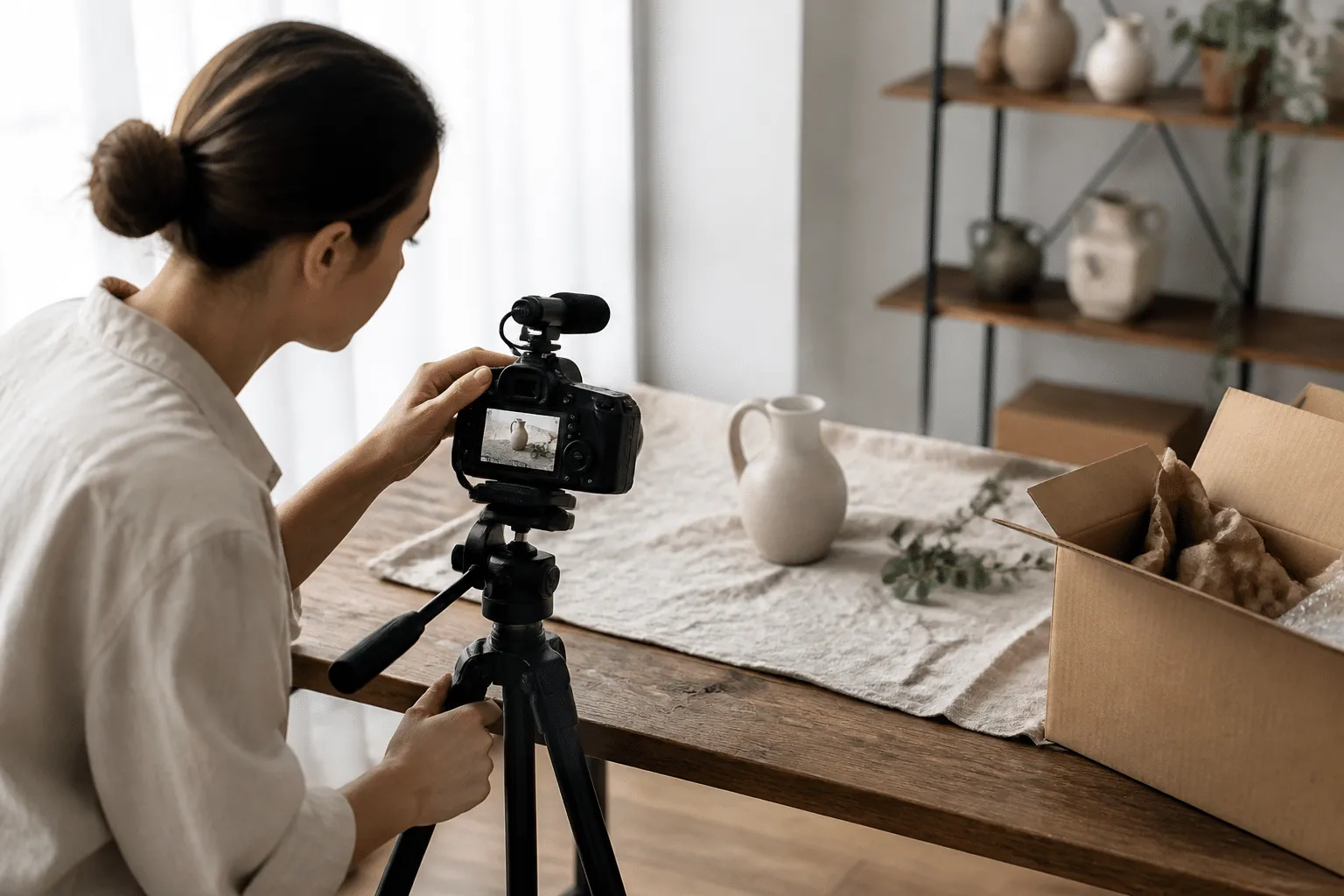
Texture requires controlled light and a close enough view to reveal meaningful surface characteristics. Rotate a ceramic piece slowly, tilt a textile toward the light, or move a leather item so grain becomes visible. Avoid sharpening filters and heavy color correction. Buyers do not need a flawless-looking surface; they need to understand whether it is smooth, rough, matte, glossy, flexible, thick, thin, or visibly variable.
Function should be demonstrated in the same way the buyer will use the item. Open the closure, adjust the strap, fold the blanket, switch the lamp, or place the insert inside the cover. Perform the action slowly once, without skipping the step that might cause confusion. If a feature requires care, show the correct method and explain any relevant limitation in the written listing.
For clothing, show movement and fit from more than one angle when that information is central. A rotating model can help, but posture, underlayers, and styling affect appearance. Give garment measurements, describe intended ease, and explain whether the fabric stretches. Video provides visual context; it should not make an unsupported promise about fit.
For furniture or home goods, demonstrate doors, drawers, hinges, and depth when appropriate. Ensure the surrounding space does not falsely imply that the item includes accessories, wall mounting, or professional installation. If assembly is required, show the components only if the scene accurately reflects what the buyer receives.
Match the Video With Listing Details
A video builds trust only when it agrees with every other part of the listing. Before publishing, compare the footage with the title, description, selected variations, personalization instructions, dimensions, materials, processing information, and photographs. Correct contradictions rather than expecting shoppers to interpret them.
Pay special attention to variation-dependent details. Suppose one listing offers three finishes, but the video shows only a gold version. State which finish appears in the footage and make clear whether the shapes, markings, or packaging differ. If customization changes the final appearance, show an example while explaining that the buyer’s personalized result will depend on the submitted information.
Do not use video to conceal a limitation that belongs in the description. If natural materials vary, say so. If a handmade edge is intentionally irregular, explain it. If colors can appear different across screens, use neutral language and provide material or finish details. A transparent caveat may remove a hesitant shopper, but it also filters out an order that could otherwise lead to disappointment, complaint, or return.
Captions or concise on-screen labels can reinforce important facts, especially when the video is viewed without sound. Label a scale reference, identify a mechanism, or clarify that a prop is not included. Keep text large enough to read on a phone and leave it on screen long enough to understand. Do not cover the feature being demonstrated.
If you edit clips together, preserve continuity. Sudden changes in lighting, background, product orientation, or apparent size can make the item seem inconsistent. Simple cuts are often better than elaborate effects. The viewer should focus on the product, not wonder how the scene was assembled.

Use a Trust-Focused Editing Check
Watch the final cut once as a buyer who knows nothing about the item. Can you identify the product immediately? Can you judge its scale and main material? Can you see the feature most likely to cause uncertainty? Do you know whether the shown accessory, color, or variation is included?
Then watch without sound. If essential meaning disappears, add concise visual labels or improve the demonstration. Watch again at a small phone size. Fine texture that looks impressive on a large monitor may vanish on a mobile screen. Finally, compare the video with the listing photographs. If the video reveals a detail the photos hide, decide whether the photos should be updated too.
Optimize the First Moments
Shoppers often make a rapid first judgment about whether a listing deserves attention. The opening should therefore deliver recognition and relevance immediately. Begin with the product in a clean, well-lit view rather than a title card, brand animation, or distant workspace scene.
Frame the item large enough to inspect, while keeping its shape and context visible. If the product is wearable, show it worn or held in a way that preserves its true proportions. If it is functional, begin with the feature that makes it distinct. A personalized necklace might open with its pendant and then move to the chain and clasp. A storage product might begin with its capacity or opening action.
Do not crowd the opening with claims. Words such as “premium,” “perfect,” or “best” provide little evidence. Replace them with observable details: “interior pocket shown,” “matte glaze,” “adjustable closure,” or “shown beside a hand.” Specific language helps buyers connect the footage with a real decision.
Keep the pacing brisk but not rushed. Viewers need enough time to inspect each important feature. A fast montage can create energy, yet it may hide flaws, make text unreadable, and prevent comparison with listing details. Remove dead time rather than accelerating every useful shot.
Build a Repeatable Workflow
Consistency makes video creation easier and helps an entire shop feel reliable. Choose a small filming area with a repeatable background, dependable light, and enough space for both full views and close-ups. Mark the phone position and product position if you expect to film similar items. This reduces setup time and keeps scale more consistent across listings.
Prepare products before recording. Remove dust, loose threads, fingerprints, packaging scraps, and temporary labels that should not appear in the final footage. Check that closures work and that the item is presented in the condition buyers can expect. For food-contact goods, avoid implying use or safety beyond what your documented product information supports.
Record several takes, but do not create dozens without a reason. After the first take, inspect focus, exposure, framing, and movement. If a key feature is hidden, correct the setup and record again. Save the clearest clips in an organized folder named for the product and variation. Keep original files until the listing is complete and the final version has been checked.

Create templates for recurring needs rather than copying a misleading formula. A jewelry template might include a worn scale view and clasp demonstration. A printable template might include a screen or printed preview, file-format information, and a note clarifying what is delivered. The structure saves time, while the evidence changes for each product.
Review performance through buyer behavior available to you, but interpret it carefully. A video may support confidence without producing an immediate, isolated sales effect. Compare questions, messages, saves, and order patterns over a reasonable period only when other factors, such as price, season, photographs, stock, and advertising, are also considered. Do not assume a single change proves causation.
Avoid Common Confidence-Damaging Mistakes
The most damaging mistake is showing a product more beautifully than accurately. Filters, extreme angles, selective cropping, and dramatic lighting can create expectations the delivered item cannot meet. Attractive presentation is welcome; misleading presentation is expensive.
Another mistake is filling the video with irrelevant lifestyle footage. A brief setting can help shoppers imagine use, but a long shot of coffee, flowers, or a styled room may leave the product too small to judge. Keep context subordinate to evidence.
Avoid showing only the front. Buyers often care about backs, interiors, undersides, seams, mounting points, and labels. The right missing angle depends on the category, but every item has a side that photographs may neglect. Ask what a customer would inspect in person before paying.
Do not demonstrate unsafe behavior. Never show a product used in a way that conflicts with its instructions or intended purpose. Heat, flames, electrical connections, sharp tools, children’s items, cosmetics, and food-related products deserve particular care. If safety information is material, provide it in the written listing and follow applicable guidance rather than relying on attractive footage.
Do not imply faster dispatch, guaranteed results, special inclusions, or universal fit unless those statements are accurate for the specific listing. A video can communicate confidence without making promises the product cannot support.
Use a Practical Review Checklist
Before publishing, inspect the video against these questions:
- Is the item visible immediately and throughout the main demonstration?
- Does the footage show the feature buyers cannot judge easily from photographs?
- Is scale supported by measurements or a sensible reference?
- Are color, texture, and finish represented without misleading filters?
- Are variations, personalization, and included accessories clear?
- Does the video agree with the description, photographs, and selected options?
- Is the camera stable, the lighting readable, and the background uncluttered?
- Can a viewer understand the key points without sound?
- Does the pacing allow inspection rather than forcing a quick impression?
- Have unsafe demonstrations, unsupported claims, and distracting props been removed?
If the answer to several questions is no, do not solve the problem with more decoration. Rework the evidence. A shorter video with two convincing demonstrations is usually stronger than a longer video that contains every possible angle but explains none of them.

Compare Video Approaches
| Approach | When useful | What to check |
|---|---|---|
| Static product view | Shape, color, and overall appearance need confirmation | Stable framing, neutral light, complete item visible |
| Hand or model reference | Scale, wear, or proportions may be unclear | Measurements agree with the visual reference |
| Function demonstration | Opening, adjusting, assembling, or operating affects the decision | Action is shown fully and safely |
| Detail close-up | Texture, craftsmanship, or finish needs inspection | Focus, lighting, and color remain truthful |
| Packaging view | Presentation or included components matter | Props and optional extras are clearly identified |
Answer Common Questions
How long should an Etsy listing video be?
Use enough time to show the product’s important evidence, but remove pauses, repeated angles, and unrelated scenes. The right duration depends on complexity. A simple accessory may need only a few clear views, while an item with moving parts, customization, or several functional details needs more demonstration. Judge the edit by comprehension: can a shopper understand the product without feeling rushed?
Should the video include music?
Music is optional and rarely more important than clear visual information. It may suit a lifestyle-oriented product, but it can distract from close inspection or create a mismatch with the item. If you use it, keep it unobtrusive and ensure that the video remains understandable without relying on audio. Do not use music to mask poor recording or fill empty footage.
Should I speak on camera?
Speaking can help when instructions, pronunciation, or a personal explanation genuinely clarify the product. It is not necessary for every shop. If you narrate, use short, factual sentences and avoid unsupported superlatives. Show the feature while discussing it, and provide the same essential information in the listing text so shoppers can review it quietly.
What if my product is digital?
Demonstrate what the buyer receives without exposing private customer information, editable source material, or unrelated files. A screen recording can show a preview, file organization, or an example workflow, while text should state formats, access method, included files, and any software requirements. Do not make a digital preview look like a physical item unless the distinction is unmistakable.
Should every listing have a video?
Not necessarily. Video is most valuable when movement, texture, scale, fit, function, or packaging is difficult to communicate through photographs. For a simple, flat product, a carefully composed image set may already answer the main questions. Still, test whether a short demonstration resolves a recurring concern. If it does not add evidence, do not add it merely for decoration.
How can I show color accurately?
Use consistent, neutral lighting and avoid filters, colored backgrounds, and heavy editing. Include a written material or finish description and remember that screens differ. For products where color variation is inherent, explain that the item may vary rather than presenting one sample as an absolute standard. The goal is an honest reference, not a promise that every display will look identical.
Can video replace photographs?
No. Photographs remain useful for quick comparison, detail inspection, and viewing the item in a still frame. Video adds movement, context, and function. Use the two formats together, making sure they show the same product and do not contradict one another. A video should fill an information gap, not excuse weak photographs or missing measurements.
What should I change if the video receives little attention?
First inspect relevance rather than assuming the answer is promotion. Is the product clear at the opening? Does the video address a genuine uncertainty? Is the feature large enough to see on a phone? Does the listing attract the right shopper through accurate title, photos, price, and details? Improve one evidence problem at a time, then observe whether questions or buyer reactions change. Avoid adding flashy effects without a clear purpose.
Conclusion
An Etsy listing video earns trust by proving the details shoppers hesitate to judge from still images. Begin with their uncertainty, plan a short evidence sequence, record steadily in honest light, and show scale, texture, function, and relevant construction. Then check every frame against the written listing, variations, measurements, and safety information.
The strongest video is not the most elaborate one. It is the one that helps a buyer understand what will arrive, how it looks in context, and how it works before placing an order. Review your listing today, identify one unanswered question, and film the clearest demonstration that resolves it.